Library Workshops
The library offers drop-in workshops in the Fall and Spring semesters on a wide variety of topics, from research skills to tech and software skills and beyond. Below is our calendar of events. Can’t make it to a workshop? Take a look at the online versions of our workshops.
Faculty, if you see a workshop that interests you for your class, department or student group, we can arrange to teach that workshop at a time that works for you, just fill out a workshop request form. We also have a Faculty Workshop series on topics relevant to faculty and graduate students.
Do you have workshop suggestions? Contact [email protected]
Excel: Formulas and Functions
Excel has many functions and formulas to choose from. Need help figuring out what's what? Join us for this workshop to check out some common formulas and some lesser known yet useful ones too! Plus, bonus content to help bring out a more Excel-efficient you!
From to at Library Room 204.
EndNote Desktop
Learn how to use EndNote Desktop citation management software to save time and frustration when incorporating citations into papers and presentations.
Please note: this software is ideally suited for long-term research projects and will be most relevant for graduate students and faculty.
Unable to join us? Get started with EndNote on our website and contact us for a consultation.
From to at Online.
Organize Your Life
Get help managing the chaos! Attend this workshop for tips and advice about how to use apps, technology, and proven techniques to best manage your time.
Unable to join us? Online materials for this topic are available here: https://guides.lib.utc.edu/organize-your-life
From to at Library Room 205.
How to Email Your Professor
Sending emails to your professors can be hard, especially if you need to request an extension or a letter of recommendation. But it doesn't have to be! In this workshop, taught by peer consultants at the Writing and Communication Center, you'll learn how to compose professional, effective emails to professors and even potential employers. We'll look at examples, discuss what to do (and what not to do), and address your questions.
Unable to join us? An online video on this topic is available here: https://www.youtube.com/watch?v=8vL4x4-Rt9c&t=36s
From to at Library Room 202.
EndNote Desktop
Learn how to use EndNote Desktop citation management software to save time and frustration when incorporating citations into papers and presentations.
Please note: this software is ideally suited for long-term research projects and will be most relevant for graduate students and faculty.
Unable to join us? Get started with EndNote on our website and contact us for a consultation.
From to at Online.
Photoshop Basics
Photoshop is ubiquitous — it’s sometimes even used as a verb — but how can you begin to use it? This workshop introduces the basic Photoshop interface as well as essential functions such as pixel selection, image sizing and adjustment, layering, and the plethora of available tools.
Unable ot join us? Get started with Photoshop with this online guide and contact us for a consultation.
From to at Library Room 204.
Excel: Back to Basics
Wow, look at all those boxes. What’s a formula? How do I make a chart? I haven’t used Excel before, but I need to know things! This Excel beginner workshop will guide you to the solutions. You’ll leave with the knowledge of the features and functionality of each ribbon (if you don’t know what that is, you can learn that here, too)!
Unable to join us? Get started with Excel using this online guide and contact us for a consultation.
From to at Online.
What is an Annotated Bibliography?
Has your professor assigned you an annotated bibliography this semester? Come learn the basics of compiling and formatting an annotated bibliography regardless of the subject matter.
From to at Online.
Know Yourself, Grow Yourself: Career & Self-Development NACE Competency
What do you want from your career and how do you figure it out? This interactive workshop will help you discover your strengths, values, interests, and goals so you can make more confident career
Presented by UTC Career Connections in partnership with UTC Library.
From to at Library Room 205.
What is an Annotated Bibliography?
Has your professor assigned you an annotated bibliography this semester? Come learn the basics of compiling and formatting an annotated bibliography regardless of the subject matter.
From to at Online.
3D Modeling in Fusion
Curious about 3D modeling? Come learn the basics of AutoDesk's Fusion software! Take your designs from the intangible to production-ready without the learning curve of other applications.
From to at Library Room 204.
What is an Annotated Bibliography?
Has your professor assigned you an annotated bibliography this semester? Come learn the basics of compiling and formatting an annotated bibliography regardless of the subject matter.
From to at Online.
Tips for Taking Great Notes
Do you want to get better at taking notes to maximize your success at UTC? Learn some strategies and tips for becoming a great note-taker in your college classes and on your assigned readings. This workshop will consist of tactics and some hands-on practice activities.
From to at Library Room 205.
What is an Annotated Bibliography?
Has your professor assigned you an annotated bibliography this semester? Come learn the basics of compiling and formatting an annotated bibliography regardless of the subject matter.
From to at Online.
Excel: How to Make Visually Stunning Charts
Charts are a great way to visually represent tons of data with uses ranging from the workplace, personal projects, and the homework assignment that’s due in an hour. With so many options, it can be overwhelming. Which type of chart should you use? How do you plug in your information? Take some time to check out this workshop as we explore our options with charts.
From to at Online.
What is an Annotated Bibliography?
Has your professor assigned you an annotated bibliography this semester? Come learn the basics of compiling and formatting an annotated bibliography regardless of the subject matter.
From to at Online.
Citing Sources in APA
Are you new to citing sources APA? Do you want some pointers? Staff from the Writing and Communication Center will help demystify the basics of APA 7 and share some quick tips and resources for citing sources.
Unable to join us? View this online recording available here: https://www.youtube.com/watch?v=XRfoomeOVts&t=80s
From to at Library Room 205.
Microsoft Word for Undergraduates
Word is one of the the most commonly used computer programs in the world. However, just because it’s widely used, it doesn’t mean everyone knows how to use it properly (and that’s okay). Join this beginner-friendly workshop as we all learn the tools, formatting skills, and bare bone basics that you will need for undergraduate writing assignments.
Unable to join us? Get started with Word using this online guide and contact us for a consultation.
From to at Library Room 204.
Developing a Personal AI Ethics Threshold
There's no single "right answer" to when AI use is appropriate — but there are better questions you can ask yourself to figure out where you stand. As AI becomes part of your coursework, campus life, and daily routines, decisions about when and how to use it aren't just technical — they're personal and value-based. This workshop is a space to explore your values through these questions together.
Come ready to think critically, engage with scenarios, and leave with a clearer sense of your own ethical boundaries around AI use in college and beyond.
From to at Library Room 205.
Make A Paper Speaker
How does music get played through electronics? Come learn about magnets, copper coils, and electromagnetic induction in this crafty workshop.
From to at Library Room 205.
What is an Annotated Bibliography?
Has your professor assigned you an annotated bibliography this semester? Come learn the basics of compiling and formatting an annotated bibliography regardless of the subject matter.
From to at Online.
What is an Annotated Bibliography?
Has your professor assigned you an annotated bibliography this semester? Come learn the basics of compiling and formatting an annotated bibliography regardless of the subject matter.
From to at Online.
Avoiding Plagiarism
There are a lot of varieties of plagiarism. Attend this session to learn what they are and how to avoid them!
Unable to join us? Review our Guide to Plagiarism and take our interactive tutorial here: https://www.utc.edu/library/help/tutorials/plagiarism
From to at Library Room 205.
What is an Annotated Bibliography?
Has your professor assigned you an annotated bibliography this semester? Come learn the basics of compiling and formatting an annotated bibliography regardless of the subject matter.
From to at Online.
Excel: Organizing Data with Tables and PivotTables
Do you need help being able to easily organize and manage your data? Two of the most powerful organizational tools in Excel are totally tabular! No matter what your skill level is, join us for this workshop as we break down step-by-step all things Tables and PivotTables!
From to at Online.
What is an Annotated Bibliography?
Has your professor assigned you an annotated bibliography this semester? Come learn the basics of compiling and formatting an annotated bibliography regardless of the subject matter.
From to at Online.
How to Do a Literature Review
What exactly IS a literature review and how do I do one? Come learn best practices for compiling and writing a solid lit review for your class assignment.
From to at Online.
PowerPoint: Back to Basics
Need to get ready for an important presentation and don’t know how to create the perfect slideshow for the event? Look no further. This beginner workshop covers the basics of PowerPoint tools to get you set up for making your presentation just right!
Unable to join us? Get started with PowerPoint using this online guide and contact us for a consultation.
From to at Library Room 204.
Developing a Personal AI Ethics Threshold
There's no single "right answer" to when AI use is appropriate — but there are better questions you can ask yourself to figure out where you stand. As AI becomes part of your coursework, campus life, and daily routines, decisions about when and how to use it aren't just technical — they're personal and value-based. This workshop is a space to explore your values through these questions together.
Come ready to think critically, engage with scenarios, and leave with a clearer sense of your own ethical boundaries around AI use in college and beyond.
From to at Library Room 205.
How to Do a Literature Review
What exactly IS a literature review and how do I do one? Come learn best practices for compiling and writing a solid lit review for your class assignment.
From to at Online.
How to Read a Scholarly Article
Are you having trouble reading scholarly articles? Confused or overwhelmed about the different sections? Come to this short workshop and learn some tips and tricks for tackling tough reading, find out what research looks like in different disciplines, and practice reading an article to pull relevant information.
Unable to join us? Online materials for this topic are available here.
From to at Library Room 205.
How to Do a Literature Review
What exactly IS a literature review and how do I do one? Come learn best practices for compiling and writing a solid lit review for your class assignment.
From to at Online.
How to Read a Scholarly Article
Are you having trouble reading scholarly articles? Confused or overwhelmed about the different sections? Come to this short workshop and learn some tips and tricks for tackling tough reading, find out what research looks like in different disciplines, and practice reading an article to pull relevant information.
Unable to join us? Online materials for this topic are available here.
From to at Library Room 205.
Avoiding Plagiarism
There are a lot of varieties of plagiarism. Attend this session to learn what they are and how to avoid them!
Unable to join us? Review our Guide to Plagiarism and take our interactive tutorial here: https://www.utc.edu/library/help/tutorials/plagiarism
From to at Library Room 205.
How to Do a Literature Review
What exactly IS a literature review and how do I do one? Come learn best practices for compiling and writing a solid lit review for your class assignment.
From to at Online.
How to Do a Literature Review
What exactly IS a literature review and how do I do one? Come learn best practices for compiling and writing a solid lit review for your class assignment.
From to at Online.
Find Sources Fast!
Come get a super quick crash course in finding great sources through the library website. Save time and do better on those assignments!
From to at Online.
How to Do a Literature Review
What exactly IS a literature review and how do I do one? Come learn best practices for compiling and writing a solid lit review for your class assignment.
From to at Online.
Find Sources Fast!
Come get a super quick crash course in finding great sources through the library website. Save time and do better on those assignments!
From to at Online.
Getting the Most Out of Google Scholar for Graduate Students & Faculty
Google Scholar can be a valuable addition to library databases in your research toolbox. Join us for a hands-on workshop where you will learn how to perform advanced searches, access sources you find in Google Scholar through the UTC Library, and explore other features that Scholar offers to support your research and online scholarly presence, including scholar profiles and research metrics.
From to at Library Room 205.
Writing with Sources: Quoting, paraphrasing, summarizing
Are you working on a large research paper or project? Do you want to learn how to maximize your use of secondary sources? Then this workshop is for you! We will discuss and get practice with integrating sources into your own work and learn best practices for quoting, paraphrasing, and summarizing sources.
From to at Library Room 202.
How to Do a Literature Review
What exactly IS a literature review and how do I do one? Come learn best practices for compiling and writing a solid lit review for your class assignment.
From to at Online.
How to Do a Literature Review
What exactly IS a literature review and how do I do one? Come learn best practices for compiling and writing a solid lit review for your class assignment.
From to at Online.
Avoiding Plagiarism
There are a lot of varieties of plagiarism. Attend this session to learn what they are and how to avoid them!
Unable to join us? Review our Guide to Plagiarism and take our interactive tutorial here: https://www.utc.edu/library/help/tutorials/plagiarism
From to at Library Room 205.
Adobe Premiere Basics
Learn basic editing workflow including how to set up projects, arrange content chronologically, manipulate clips, transfer projects, and export files.
Unable to join us? Get started with Premiere using this online guide (https://guides.lib.utc.edu/adobepremiere) and contact us for a consultation.
From to at Library Room 204.
How to Do a Literature Review
What exactly IS a literature review and how do I do one? Come learn best practices for compiling and writing a solid lit review for your class assignment.
From to at Online.
How to Do a Literature Review
What exactly IS a literature review and how do I do one? Come learn best practices for compiling and writing a solid lit review for your class assignment.
From to at Online.
Cite & Manage Your Sources with Zotero
Overwhelmed by citations, bibliographies, or just keeping track of all your different sources for your research paper or project? This hands-on workshop will introduce you to Zotero, a free citation management tool that allows you to collect, organize, cite, and share all types of sources. In our session, you will learn how to install the software, generate in-text citations and bibliographies, annotate sources, and more. If you have a laptop, please bring it with you, and you will leave with a Zotero library that is ready for you to use!
Unable to join us? Get started with Zotero using this online guide and contact us for a consultation.
From to at Library Room 205.
Avoiding Plagiarism
There are a lot of varieties of plagiarism. Attend this session to learn what they are and how to avoid them!
Unable to join us? Review our Guide to Plagiarism and take our interactive tutorial here: https://www.utc.edu/library/help/tutorials/plagiarism
From to at Library Room 205.
Writing with Sources: Analysis and Synthesis
Are you working on a large research paper or project? Do you want to learn how to maximize your use of secondary sources? Then this workshop is for you! We will discuss and get practice with integrating sources into your own work and learn best practices for analyzing and synthesizing sources.
From to at Library Room 205.
Visible Mending
Don't throw out your favorite jeans just because they're ripped! Learn some visible mending techniques and you'll never have to throw out an article of clothes because it has a tear or stain. Visible mending highlights imperfections so it's great for beginners, and it will make your wardrobe more sustainable! Bring an old garment you want to fix, or learn some new skills on scrap fabric.
From to at Library Studio (Room 305).
Excel: Back to Basics
Wow, look at all those boxes. What’s a formula? How do I make a chart? I haven’t used Excel before, but I need to know things! This Excel beginner workshop will guide you to the solutions. You’ll leave with the knowledge of the features and functionality of each ribbon (if you don’t know what that is, you can learn that here, too)!
Unable to join us? Get started with Excel using this online guide and contact us for a consultation.
From to at Library Room 201.

From Awkward to Awesome: Communication Skills NACE Competency
Ever leave a conversation thinking, “Why did I say that?” Good communication is a skill, and you can get better at it! In this workshop, you’ll learn how to communicate professionally and with confidence in interviews, networking conversations, emails, and the workplace.
Presented by UTC Career Connections in partnership with UTC Library.
From to at Library Room 205.

Getting the Most Out of Google Scholar for Graduate Students & Faculty
Google Scholar can be a valuable addition to library databases in your research toolbox. Join us for a hands-on workshop where you will learn how to perform advanced searches, access sources you find in Google Scholar through the UTC Library, and explore other features that Scholar offers to support your research and online scholarly presence, including scholar profiles and research metrics.
From to at Library Room 205.
Music Production in GarageBand
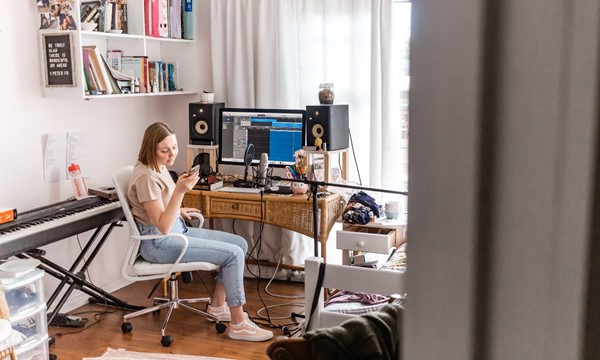
Are you interested in Music Production, but you don't know where to start? Join us for this workshop! This online workshop requires a Mac computer with the most up-to-date version of Apple GarageBand.
From to at Online.
Resume Formatting with Career Connections
UTC Career Connections and the Library Studio are teaming up to offer the ultimate resume workshop. Learn all of the tips and techniques that will set your resume apart from the rest and land you the career you deserve.
From to at Library Room 201.

Manual Photography
For anyone that has wanted to do more than “push the button” on a camera, this introductory workshop will provide a path to potent pictures. Learn the basics of aperture, shutter speed, lens characteristics, and more using Studio’s Lumix GH series cameras or your own kit.
From to at Library Room 205.
Excel: Organizing Data with Tables and PivotTables
Do you need help being able to easily organize and manage your data? Two of the most powerful organizational tools in Excel are totally tabular! No matter what your skill level is, join us for this workshop as we break down step-by-step all things Tables and PivotTables!
From to at Library Room 201.
Cite & Manage Your Sources with Zotero
Overwhelmed by citations, bibliographies, or just keeping track of all your different sources for your research paper or project? This hands-on workshop will introduce you to Zotero, a free citation management tool that allows you to collect, organize, cite, and share all types of sources. In our session, you will learn how to install the software, generate in-text citations and bibliographies, annotate sources, and more. If you have a laptop, please bring it with you, and you will leave with a Zotero library that is ready for you to use!
Unable to join us? Get started with Zotero using this online guide and contact us for a consultation.
From to at Library Room 205.
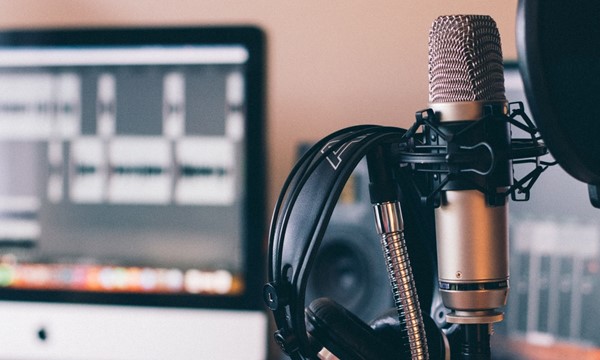
Podcasting for Beginners
Learn the basics of capturing and editing audio for podcasting. Using the Studio's equipment, you will discover the use of different microphones for specific settings. We will also go over the basics of editing in Audacity and discuss using the timeline, multiple tracks, splicing audio recordings, adding effects / filters, and mixing tracks.
From to at Library Room 204.

Understanding Media Manipulation
Celebrate U.S. Media Literacy Week and understand how misinformation moves from social media to traditional media, and the impact it has on our lives. Topics include analyzing images and captions posted by influencers, breaking down hashtags, identifying AI content, and spotting deep fakes.
From to at Library Room 326.

Avoiding Plagiarism
There are a lot of varieties of plagiarism. Attend this session to learn what they are and how to avoid them!
Unable to join us? Review our Guide to Plagiarism and take our interactive tutorial here: https://www.utc.edu/library/help/tutorials/plagiarism
From to at Library Room 204.

How to Cite Sources in Chicago
Struggling with Chicago formatting? Staff from the Writing & Communication Center will help demystify the basics of Chicago and share some quick tips and resources for citing your sources.
Unable to join us? View our online citation resources here: https://guides.lib.utc.edu/citing
From to at Library Room 205.
Spooky Sounds with Synthesizers
Sync into Synths! Explore the world of circuitry, sound synthesis, and electronics.
From to at Library 205.
Microsoft Word for Undergraduates
Word is one of the the most commonly used computer programs in the world. However, just because it’s widely used, it doesn’t mean everyone knows how to use it properly (and that’s okay). Join this beginner-friendly workshop as we all learn the tools, formatting skills, and bare bone basics that you will need for undergraduate writing assignments.
Unable to join us? Get started with Word using this online guide (https://guides.lib.utc.edu/word-basics) and contact us for a consultation.
From to at Online.
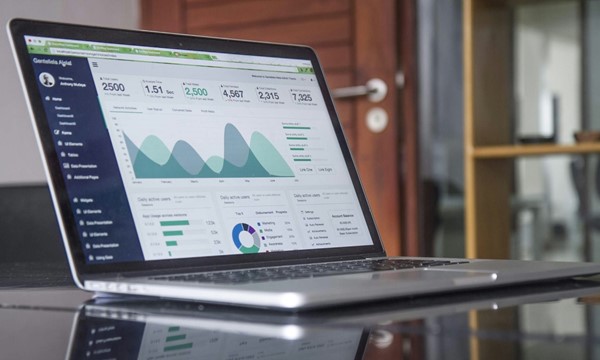
Excel: How to Make Visually Stunning Charts
Charts are a great way to visually represent tons of data with uses ranging from the workplace, personal projects, and the homework assignment that’s due in an hour. With so many options, it can be overwhelming. Which type of chart should you use? How do you plug in your information? Take some time to check out this workshop as we explore our options with charts.
From to at Library Room 201.
Science and the Media
Ever feel confused about whether to believe a scientific claim? Does chocolate really cure cancer? Come explore how science is communicated in the media and what you can do to evaluate evidence for yourself.
Unable to join us? An online tutorial for science and the media is available here: https://utc.libwizard.com/f/science-and-media
From to at Online.

PowerPoint: Back to Basics
Need to get ready for an important presentation and don’t know how to create the perfect slideshow for the event? Look no further. This beginner workshop covers the basics of PowerPoint tools to get you set up for making your presentation just right!
Unable to join us? Get started with PowerPoint using this online guide and contact us for a consultation.
From to at Online.

Audio Production on a Budget
Have you been looking to build your own at-home studio for podcasting or music production, but you don't know where to start? This workshop will get you balling on a budget. You don’t need to spend a lot of money to have a studio at home; you can put together a recording space using materials you probably already have.
From to at Online.

Making Zines in InDesign
What's a zine anyway? Zines are self-published magazines, and anyone can make one about anything! Join the Studio to learn more about zines and how to make one using InDesign.
From to at Library Room 204.
Opting Out of AI
It feels like AI is everywhere these days, in our email, search results, and everywhere else. Big Tech launches more and more AI features in the tools we use every day. This all makes artificial intelligence seem inevitable, but it doesn't have to be. This interactive workshop will show you how to turn off AI features in Outlook, Gmail, Google searches, and other tools you use to communicate and find information. Bring your phone or other devices with you and we'll help you avoid AI in all the places you don't want it.
From to at Library Room 205.
Brainstorming for Creative Projects
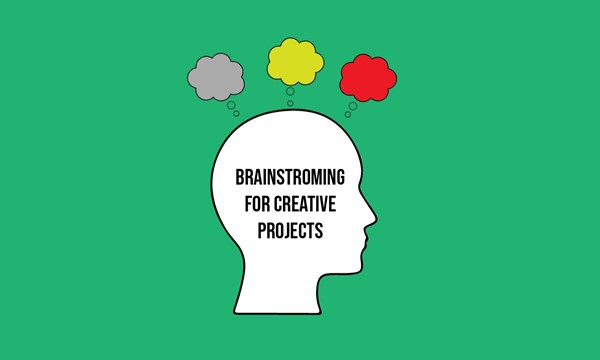
Do you want to start a creative project but are stuck waiting for inspiration to strike? Whether you've been told to "do something creative" or want to start a podcast, most creative ideas come from a methodical approach to brainstorming, not from a lightning bolt or magical vision. This workshop will use examples to take you through the steps of brainstorming to come up with new creative ideas, and the tools you need to follow through on your creative projects.
From to at Library Room 205.
Excel: Formulas and Functions
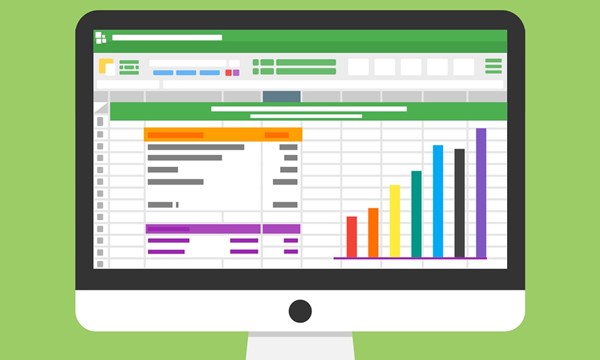
Excel has many functions and formulas to choose from. Need help figuring out what's what? Join us for this workshop to check out some common formulas and some lesser known yet useful ones too! Plus, bonus content to help bring out a more Excel-efficient you!
From to at Online.

Think Like a Boss: Critical Thinking NACE Competency
Critical thinking is necessary in the workplace. This workshop will allow you to learn how to approach challenges like a problem-solver and turn “I have no idea what to do” into “Let’s figure this out."
Presented by UTC Career Connections in partnership with UTC Library.
From to at Library Room 205.

Excel for Creatives
Are you a starving artist or aspiring small business owner wanting to know how much of your inventory you would have to sell to make rent? Or perhaps you're an up-and-coming musician or vacation planner who wants to keep track of all the gear that keeps getting left behind. Come to this outside-the-box workshop to learn how creative professionals manage their time and inventory with Excel!
From to at Online.
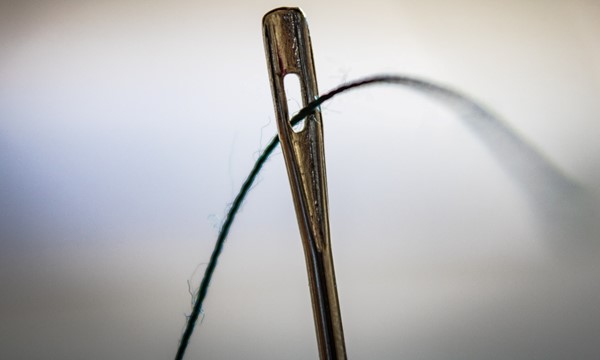
How to Hem Your Pants: Basic Hand Sewing
You know that frustrating feeling when you find great pants, but they're too long? Or when you split the seam on your favorite shirt? Come learn four basic hand sewing stitches that will help you keep your clothes lasting longer. We'll even show you how to sew on a button!
From to at Library Studio (Library Room 305).