
USTU 1251/USTU 1252 Registration Instructions
How to Register for your USTU Course:
1.) To access registration through MyMocsNet, navigate to the search bar and search for the Registration tool. When you interact with the tool, you will be redirected to the UTC Self-Service Banner system (SSB).
2.) Log into the SSB with your UTC credentials.
3.) Click on the 'Register for Classes' pane in the SSB home dashboard.

4.) Select the applicable term for registration from the drop-down box.
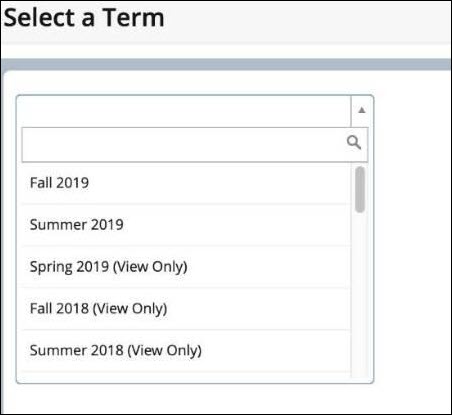
5.) You should see the Register for Classes pane and are now ready to begin registering for the course.
6.) You can add the course using the Enter CRNs tab.
For USTU 1251: Academic Coaching (for first-year students), enter CRN 43112, 44621, or 44622.
(Each CRN represents a different section of the course. Each section will accommodate up to 125 students. All three sections will participate in the exact same curriculum; they are just broken into groups for ease of record-keeping for the course instructor. )
For USTU 1252: MINDSET (for students with a GPA lower than 2.75), enter CRN 41894.

7.) After entering your CRN, click "Add to Summary," and your entered CRN will be added to your schedule as Pending.
